
XTB - Import
Step 2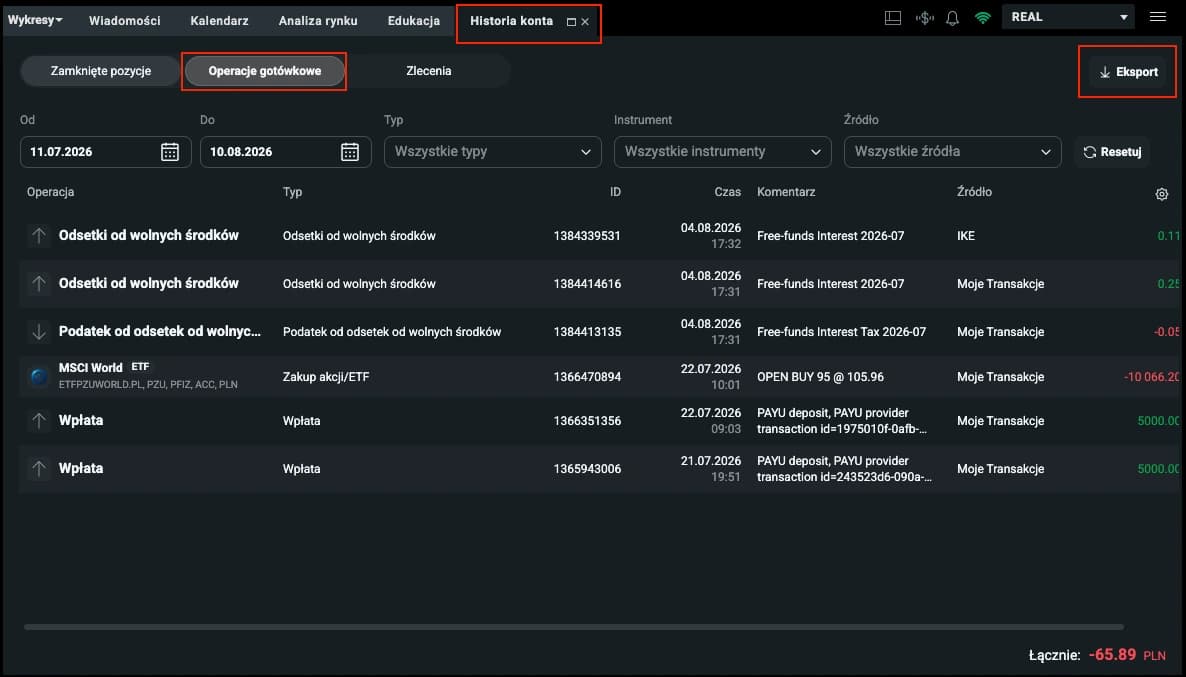
Account History
Open the account history section, choose Cash Operations, and click export.
Step 3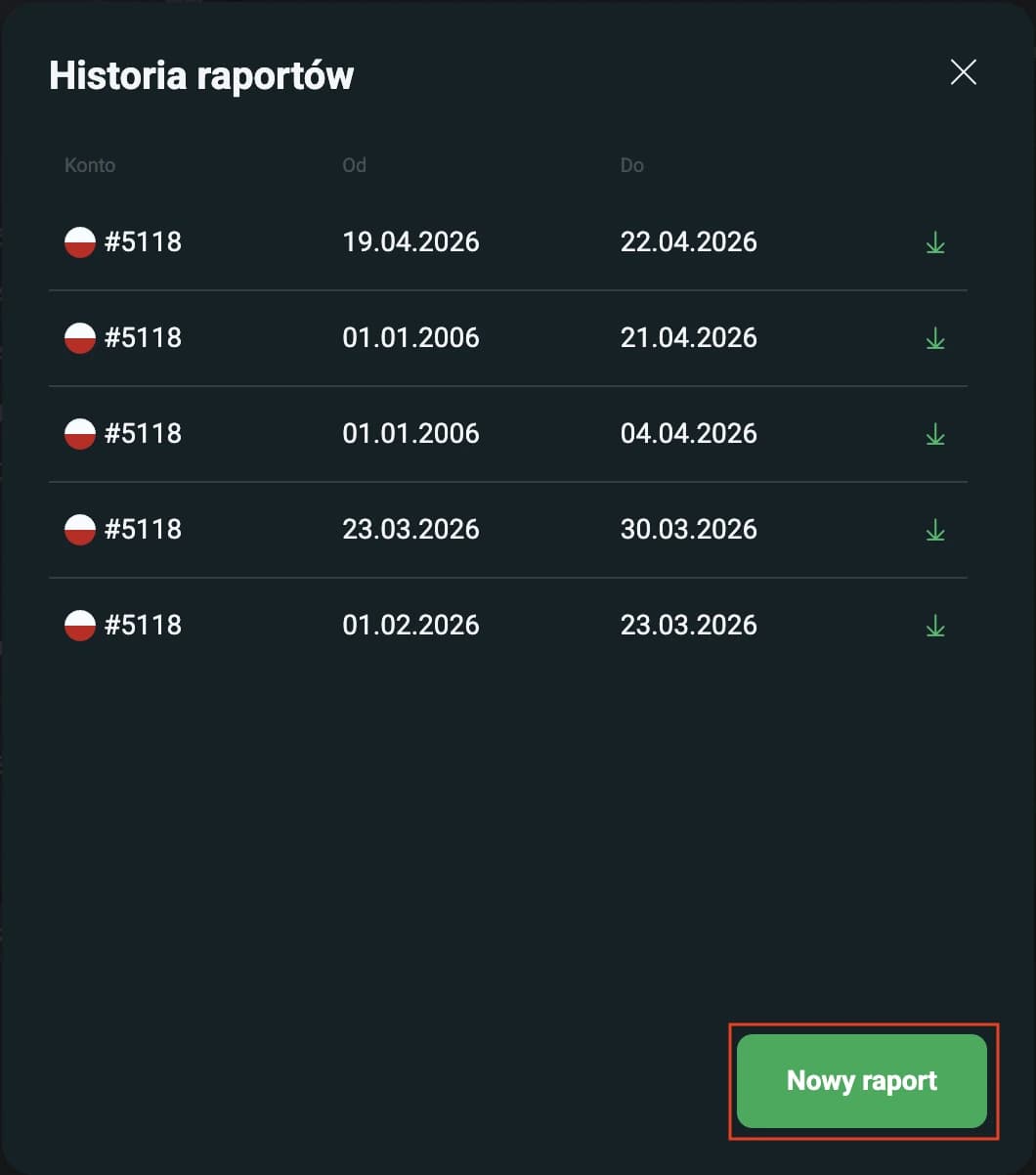
New Report & Range
Select the new report and set the date range and generate the report for the selected accounts.
Step 4
Downloaded Reports
Import the corresponding reports into the corresponding accounts one by one.
Step 5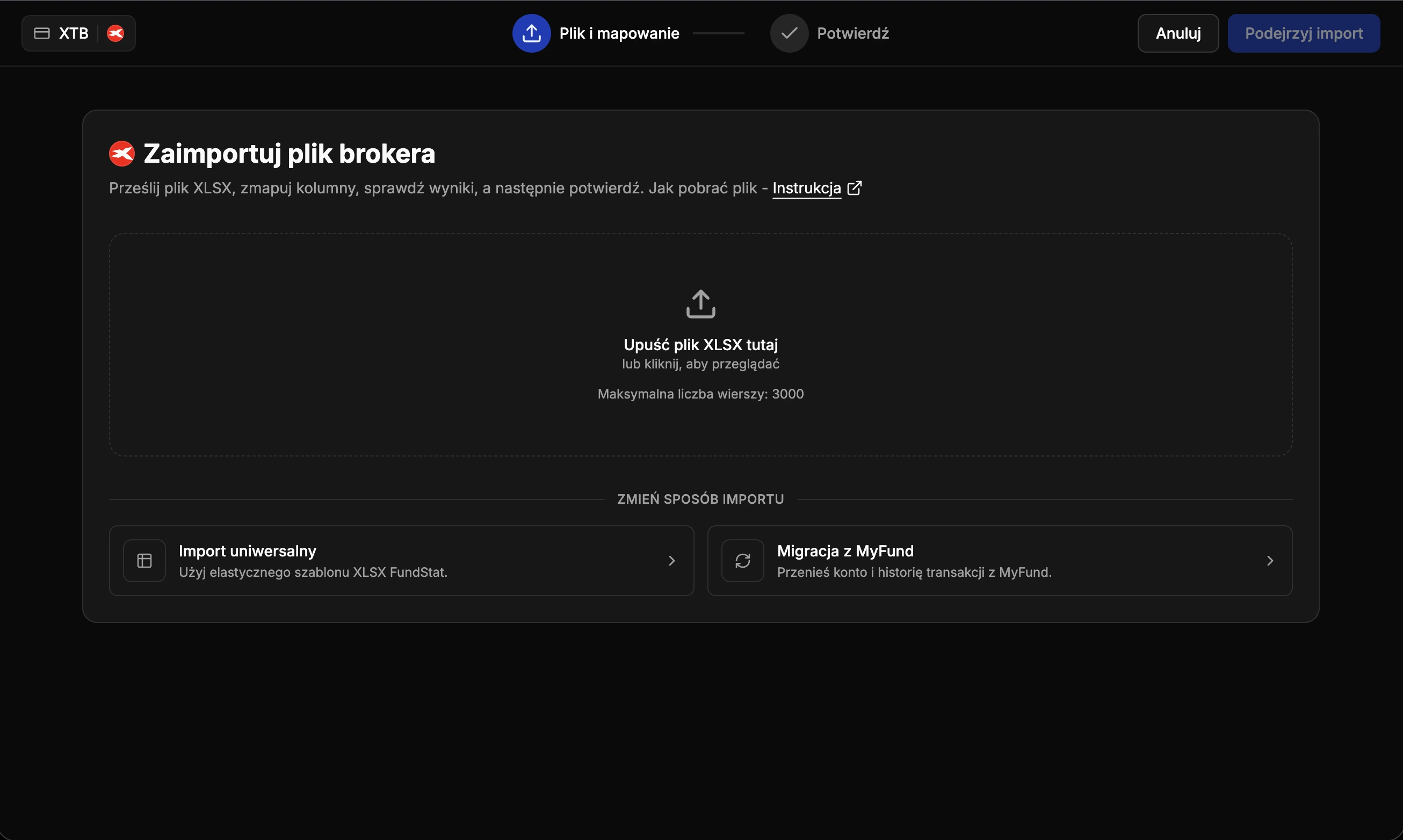
Import File
Upload the unmodified new-format Excel file with the "Cash Operations" sheet to FundStat and proceed further.
Need Help?
Our Discord server is FundStat’s main support channel, including help with individual cases. It’s usually the fastest way to get a reply.
Join FundStat on Discord
You can also email us at contact@fundstat.pl.