
Freedom24 - Import
Step 1
Freedom24 Login
Visit the Freedom24 website and log in to your account using your credentials.
Open Freedom24 LoginStep 2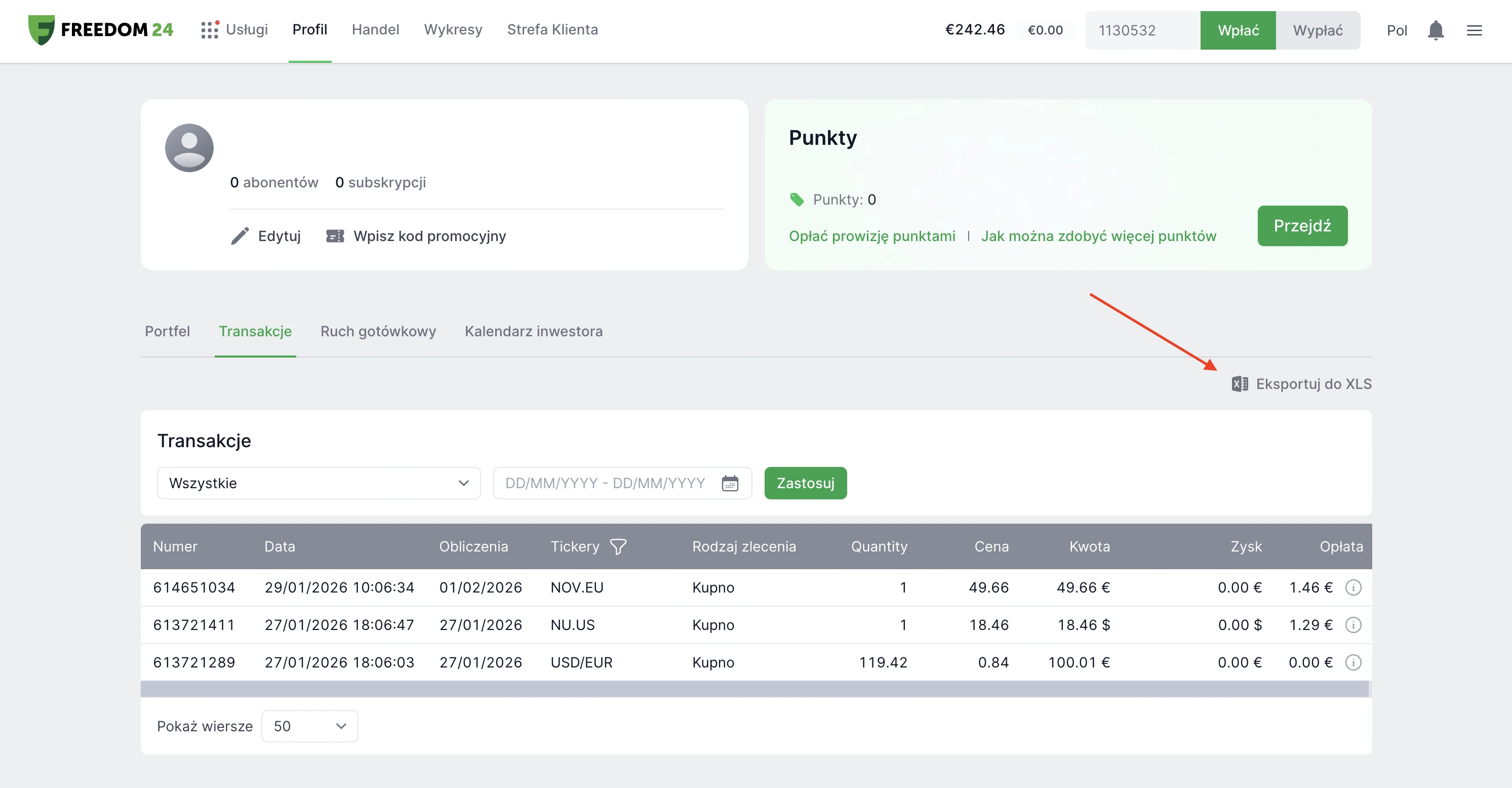
Export Transactions
In your Freedom24 account, open the "Transactions" tab and export your trade history to a XLS file.
Step 3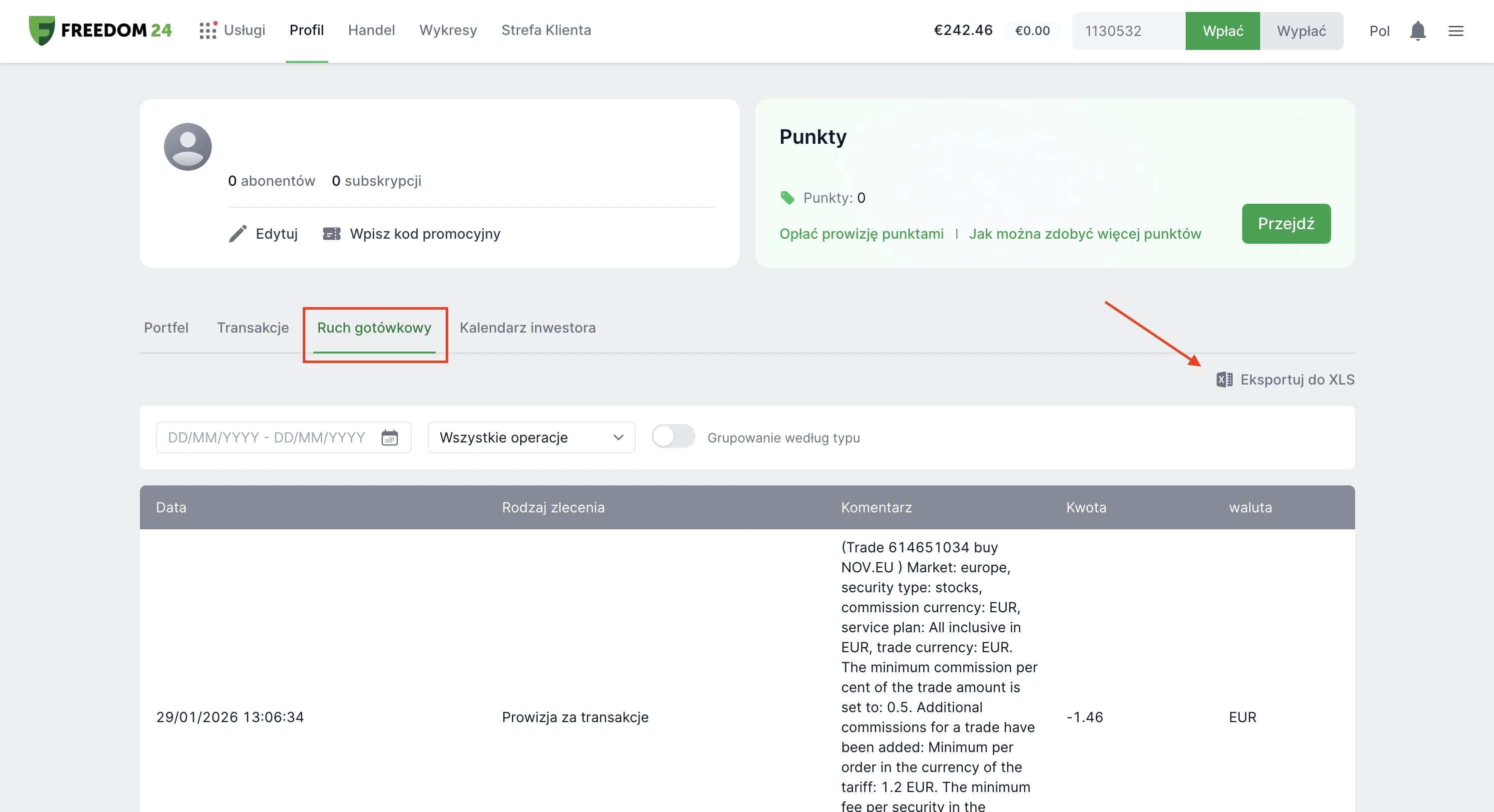
Export Cash Flow
In your Freedom24 account, open the "Cash Flow" tab to export cash movements, including dividends and deposits, to a XLS file.
Step 4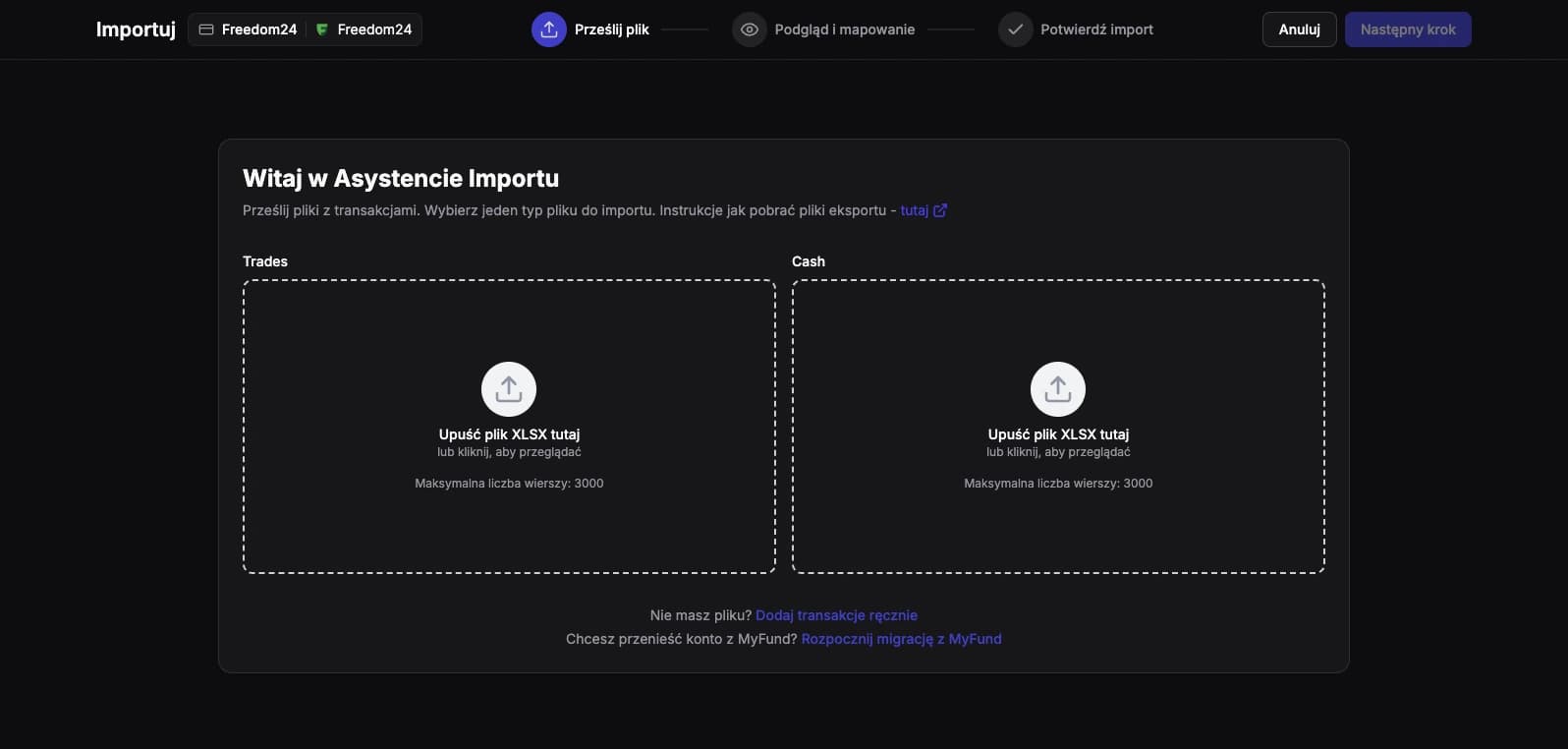
Import Files
Go to the import section in FundStat and upload both exported files (Transactions and Cash Flow) to the designated areas separately. Import one file first, finish that import, and then repeat the process for the second file.
Need Help?
Our Discord server is FundStat’s main support channel, including help with individual cases. It’s usually the fastest way to get a reply.
Join FundStat on Discord
You can also email us at contact@fundstat.pl.