
Saxo Bank - Import
Important Note
If you export right after placing trades, Saxo may still be processing them. Missing values like Locked Amount or currency can cause unrecognized rows during import. If needed, wait and export again later.
Step 2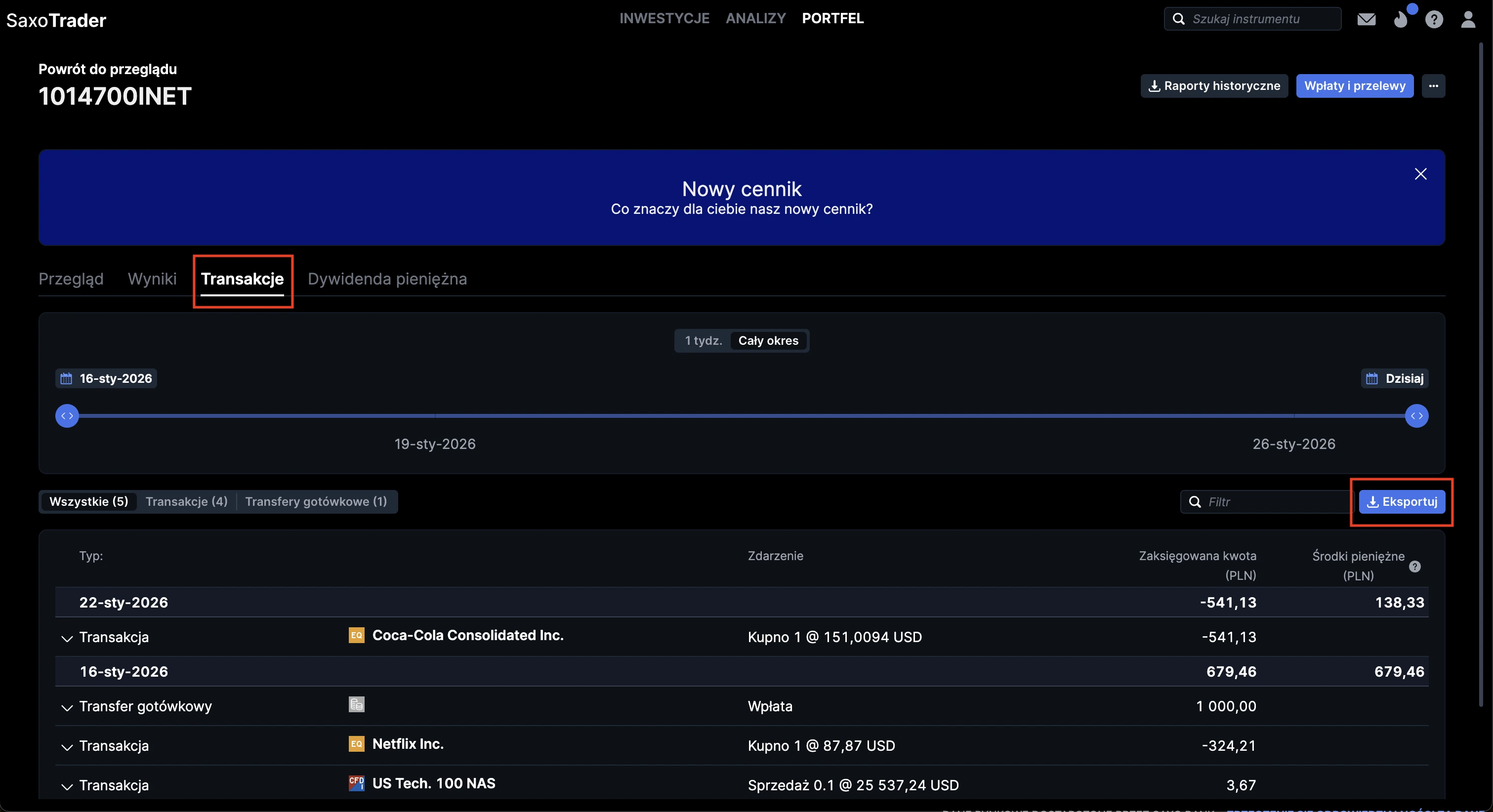
Open History
Select wallet section, choose Transactions, select the desired date range and click Export.
Step 3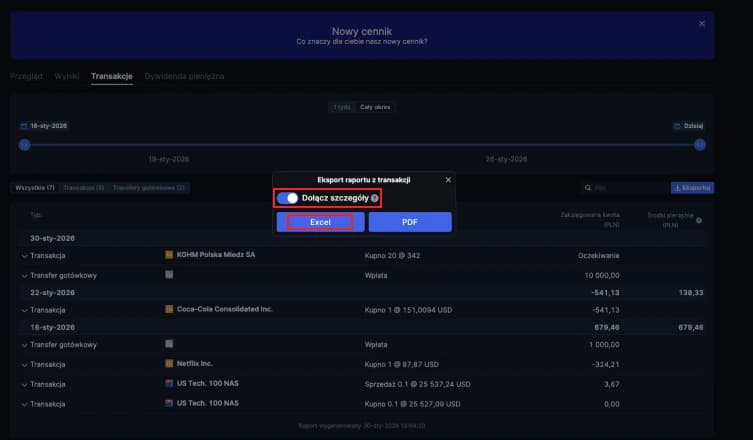
Export Excel
Make sure to include details and click Export.
Step 4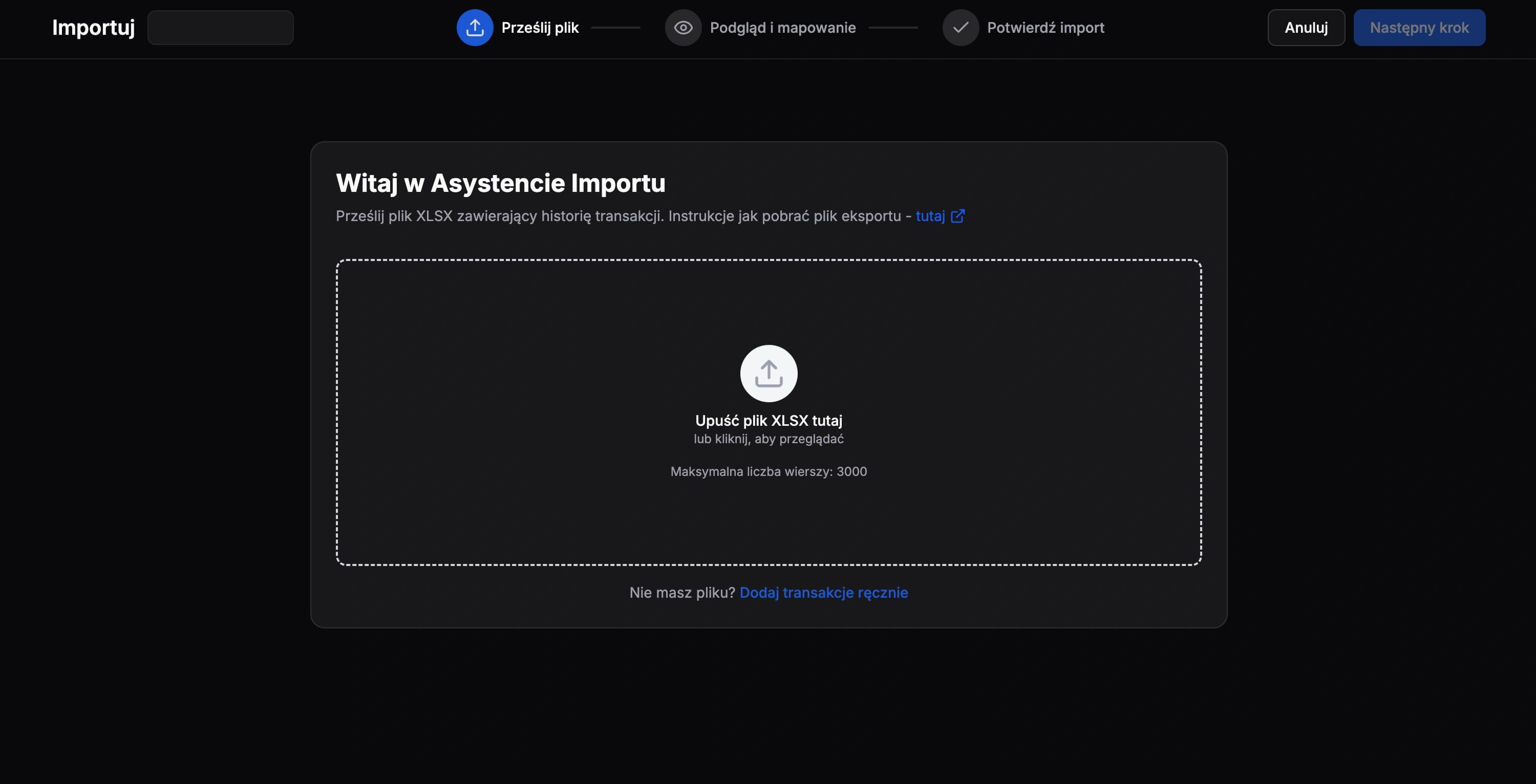
Upload File
Upload the unmodified file in FundStat and continue with the import flow.
Need Help?
Our Discord server is FundStat’s main support channel, including help with individual cases. It’s usually the fastest way to get a reply.
Join FundStat on Discord
You can also email us at contact@fundstat.pl.