
Exante - Import
Step 2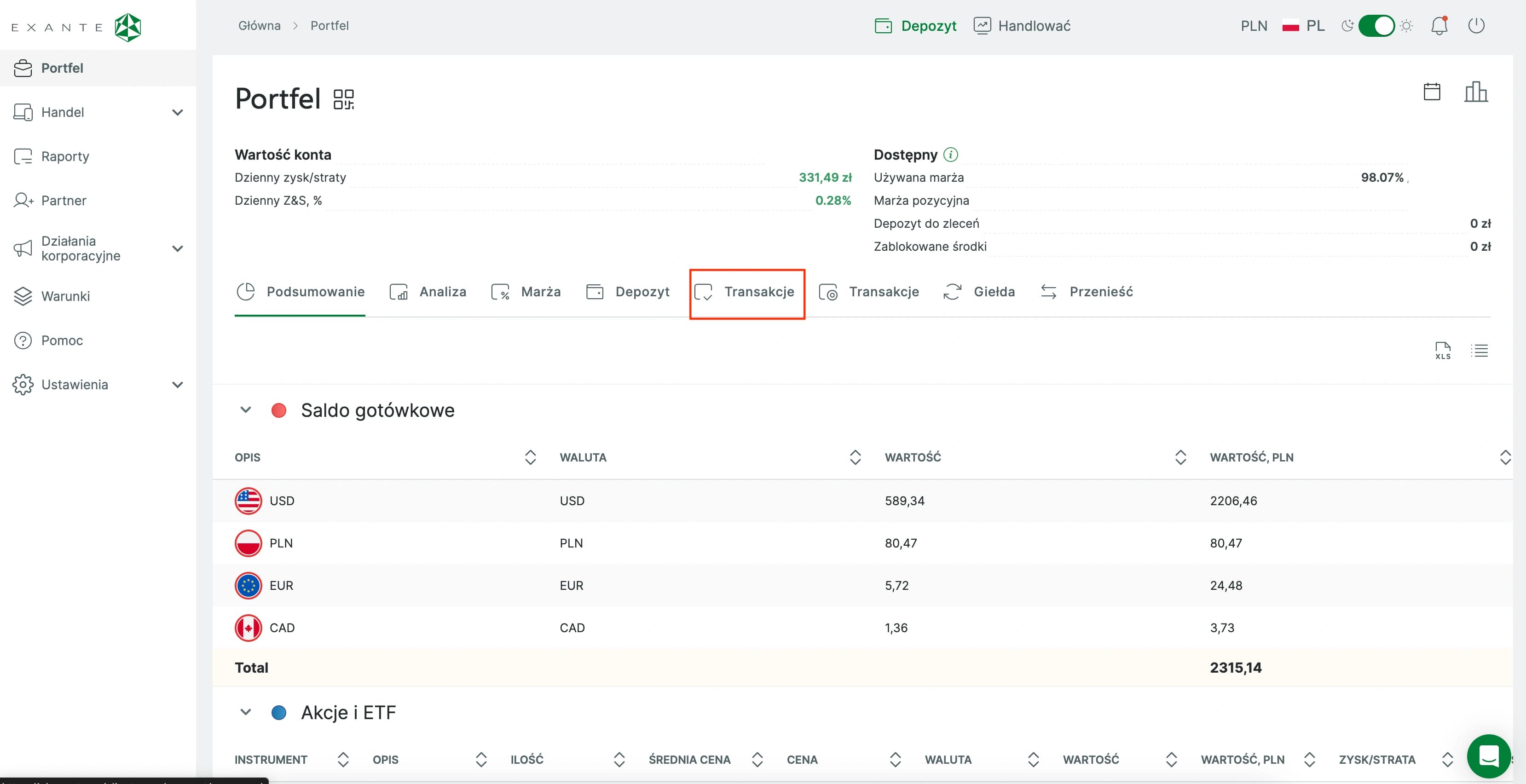
Wallet Transactions
Open Wallet and go to the Transactions tab. Important: Transactions tab on the left! (There are two Transactions tabs, select the one on the left)
Step 3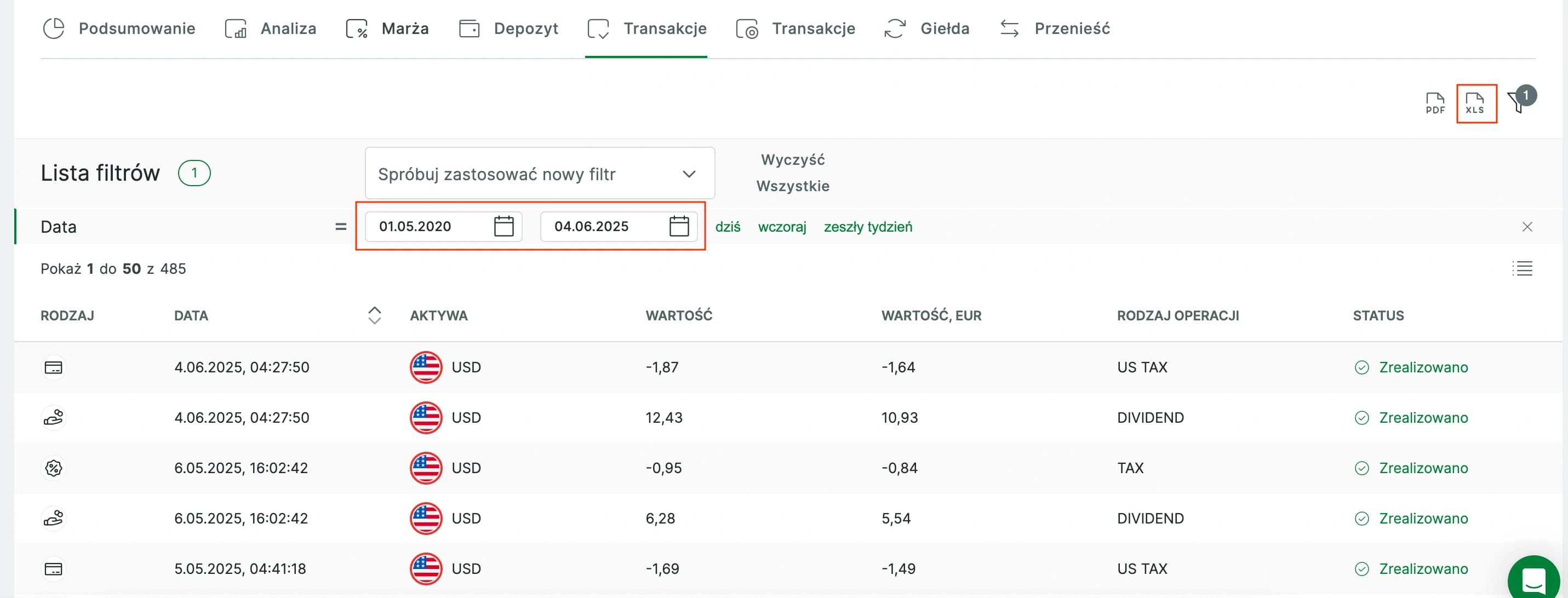
Range & Export
Select the desired date range and export the report. FundStat accepts Exante reports in CSV format.
Step 4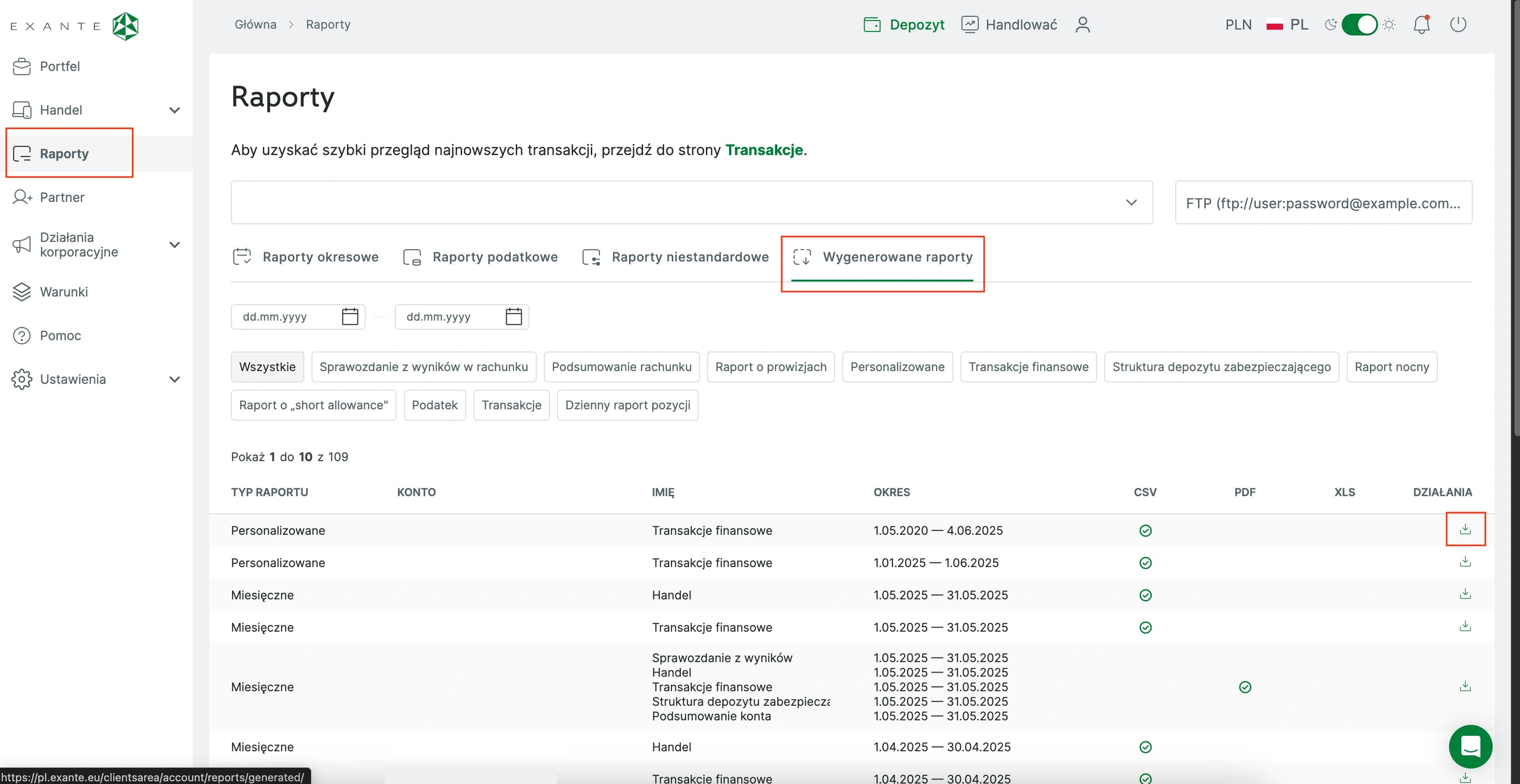
Download Report
Go to Reports > Generated Reports and download the latest file.
Step 5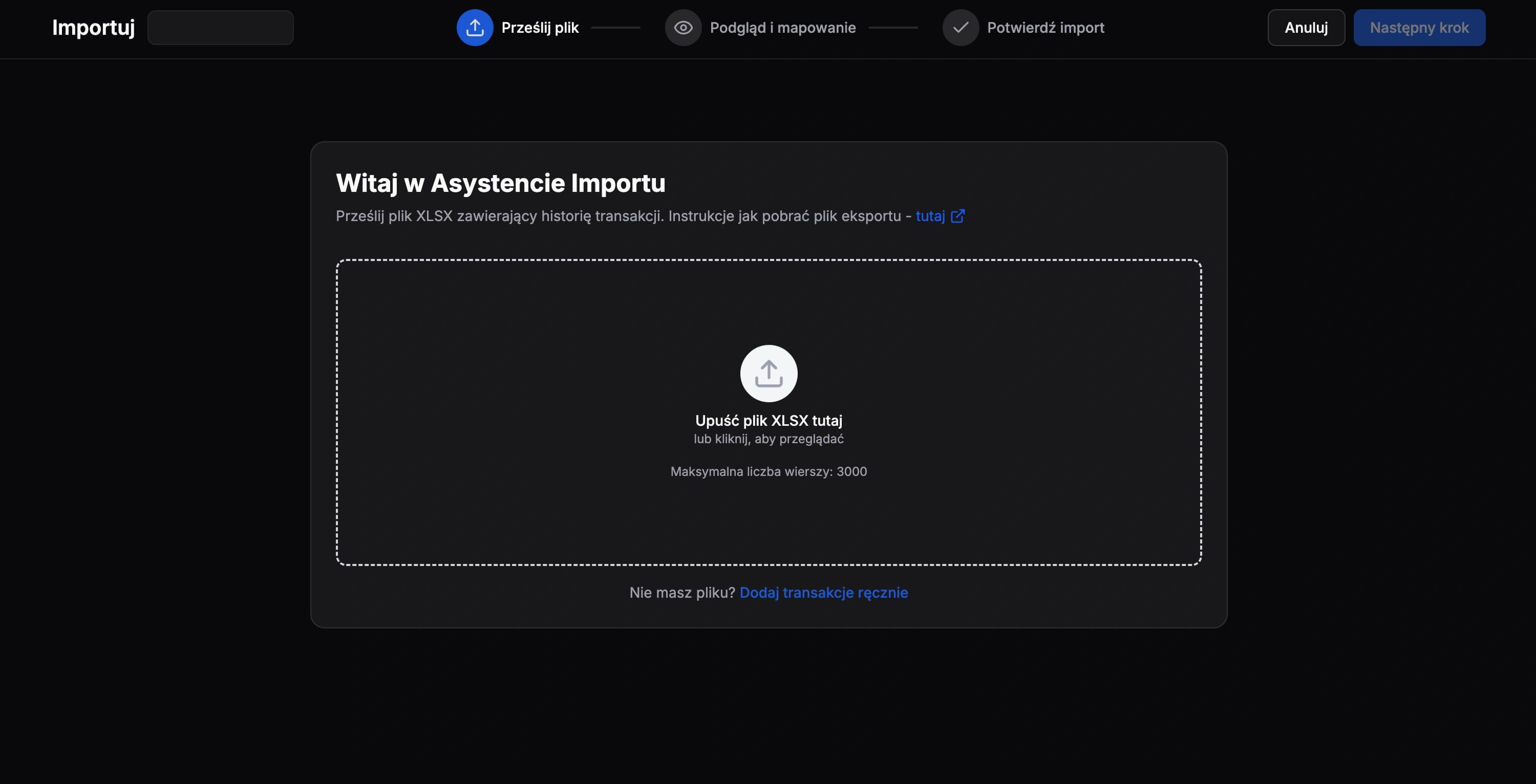
Import File
Upload the unmodified file to FundStat and proceed further.
Important information
If you export your transaction history for a short period, Exante may download the report as an XLSX file, which FundStat does not accept. Extend the date range to about one month and export it again. Exante should then generate the CSV file accepted by FundStat.
Need Help?
Our Discord server is FundStat’s main support channel, including help with individual cases. It’s usually the fastest way to get a reply.
Join FundStat on Discord
You can also email us at contact@fundstat.pl.