
ING - Import
For ING you need two separate CSV files: Historia Finansowa for cash operations and Historia Transakcji for trades. Both files come without headers, so before importing them into FundStat you need to add the first row manually.
Step 1
Export Cash CSV
In ING export the file named Historia Finansowa and save it as CSV. This file is used for cash operations.
Step 2
Add Headers To Historia Finansowa
Open Historia Finansowa in Excel, Numbers, or Google Sheets and insert a new first row. Add these exact headers: Date, Type, Description, Amount, leave the balance column without a header, Currency.
This step is required because the ING file does not include headers and FundStat detects columns by header names.
Example layout
| Date | Type | Description | Amount | Currency | ||
|---|---|---|---|---|---|---|
| 1 | 10-03-2026 | Wpłaty/Wypłaty | Zasilenie rachunku | 125.40 | 5125.40 | PLN |
Leave the final balance header empty.
Step 3
Export Trades CSV
In ING export the file named Historia Transakcji and save it as CSV. This file is used for buy and sell transactions.
Step 4
Add Headers To Historia Transakcji
Open Historia Transakcji and insert a new first row. Add these exact headers: Date, skip the transaction number column, Symbol, Type, Quantity, Price, Amount, Fee, and leave the last account value column without a header.
This step is required because the ING file does not include headers and FundStat detects columns by header names.
Example layout
| Date | Symbol | Type | Quantity | Price | Amount | Fee | ||
|---|---|---|---|---|---|---|---|---|
| 12-03-2026 09:15:30 | 123456 | PZU | Buy | 2 | 185.50 | 371.00 | 2.90 | 4752.50 |
Leave the transaction number and final balance headers empty.
Step 5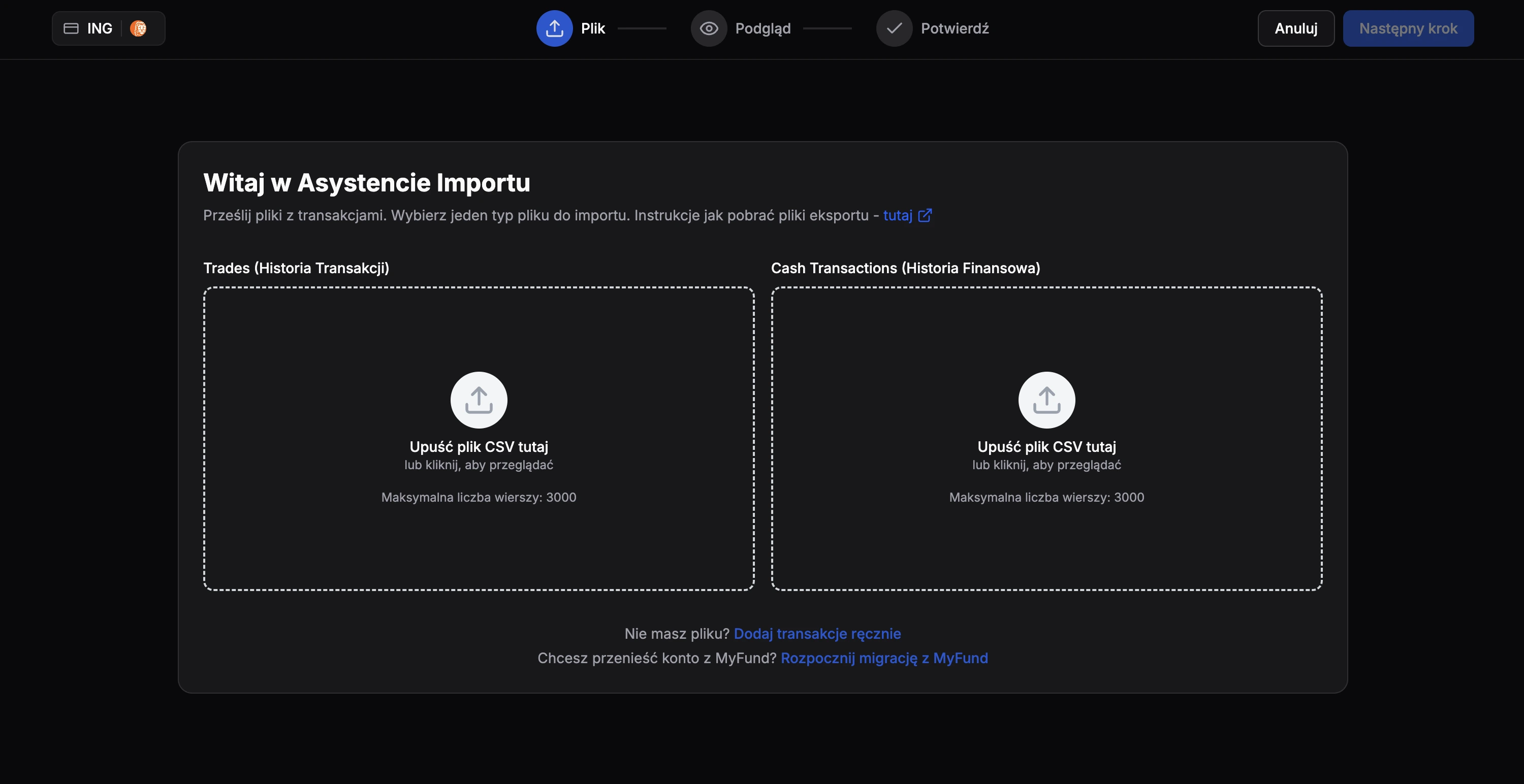
Import Both Files
After adding the headers, save or export both edited files again as CSV and upload them in FundStat. Use Historia Finansowa for cash import and Historia Transakcji for trades import. Import one file first, finish that import, and then repeat the process for the second file.
Need Help?
If you encounter any issues during the import process or have questions about using FundStat, don't hesitate to reach out to our support team.
Contact us:contact@fundstat.pl