
mBank (eMakler) - Import
Step 1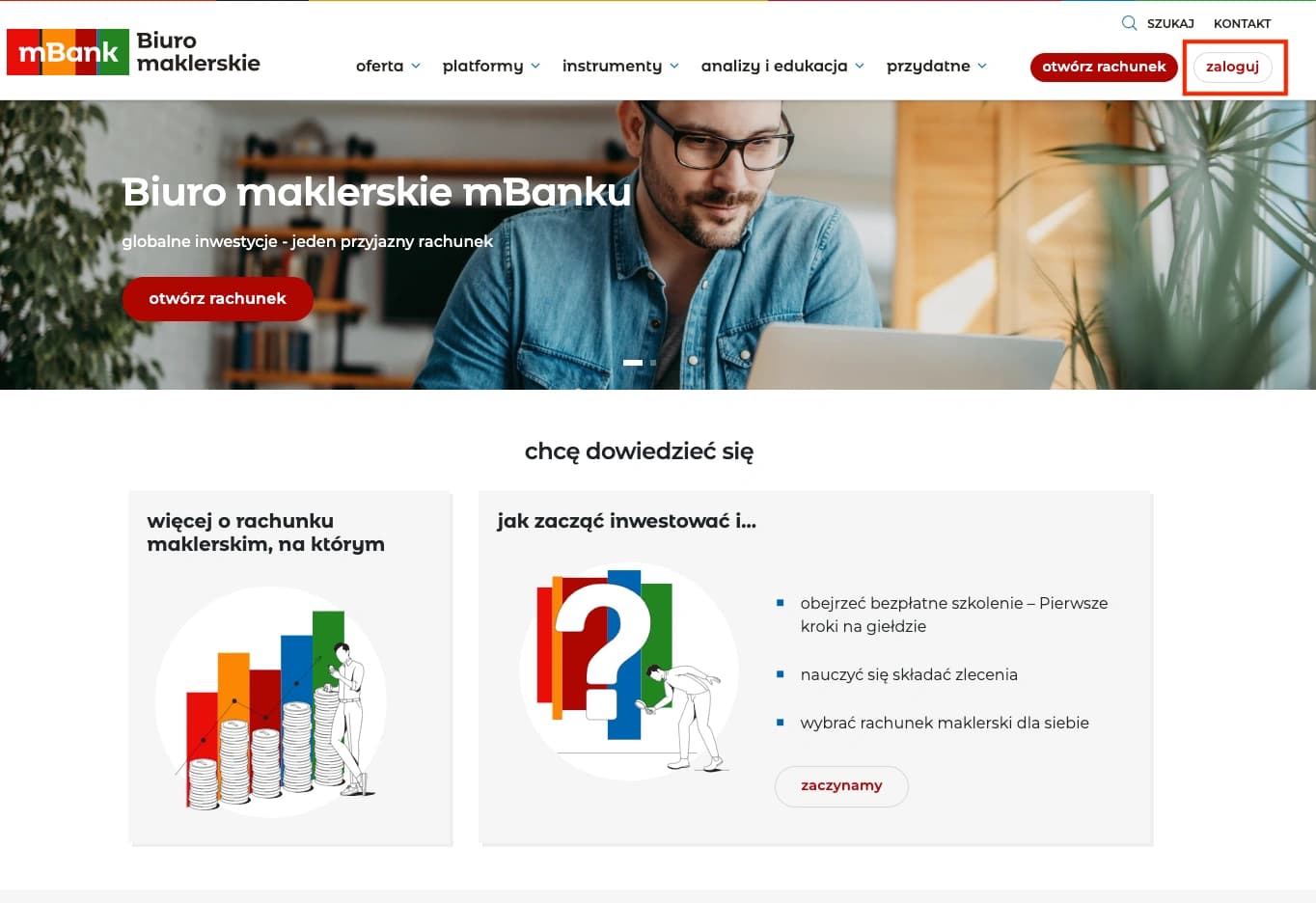
mBank (eMakler) Login
Visit the mBank Biuro maklerskie website and log in to your account using your credentials.
Open mBank (eMakler) LoginStep 2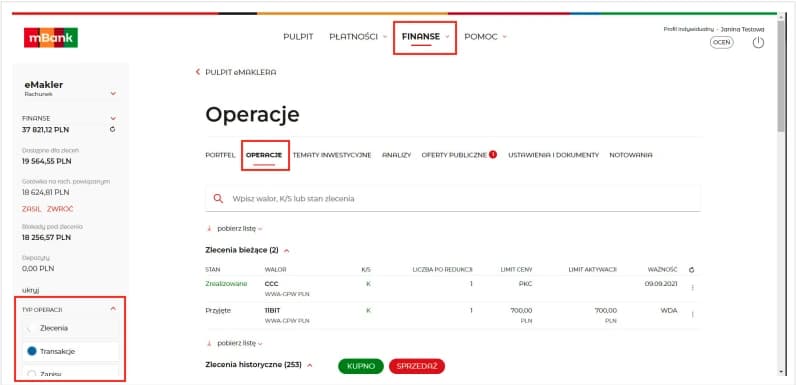
Finanse Tab
From the main page, navigate to Finanse and select the Operacje tab to view your transaction history. And select the correct operation type in bottom left corner
Step 3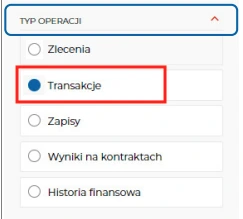
Operation Type 'Transakcje'
Firstly select Transakcje operation type to get all transactions
Step 4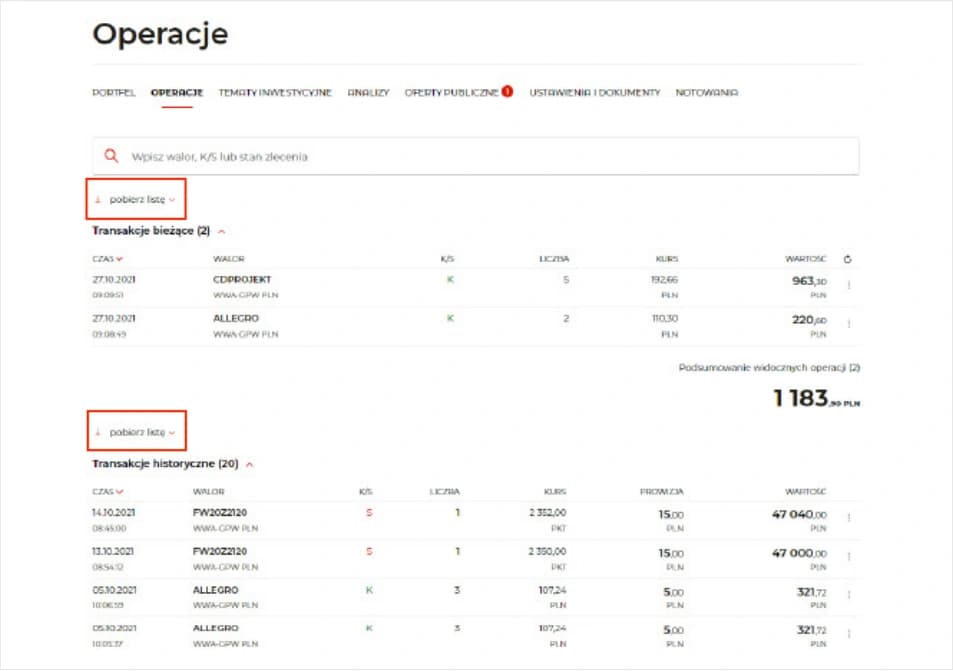
Download CSV
Click on the Download button to download the transactions in CSV format. If you export from Transakcje bieżące, the file may not include fee columns. Those fees are available later when the same transactions are exported from Transakcje historyczne.
Step 5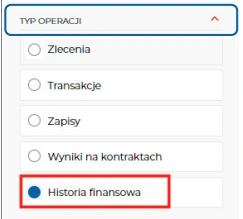
Operation Type 'Historia finansowa'
Select Historia finansowa and download the CSV file as for previous step
Step 6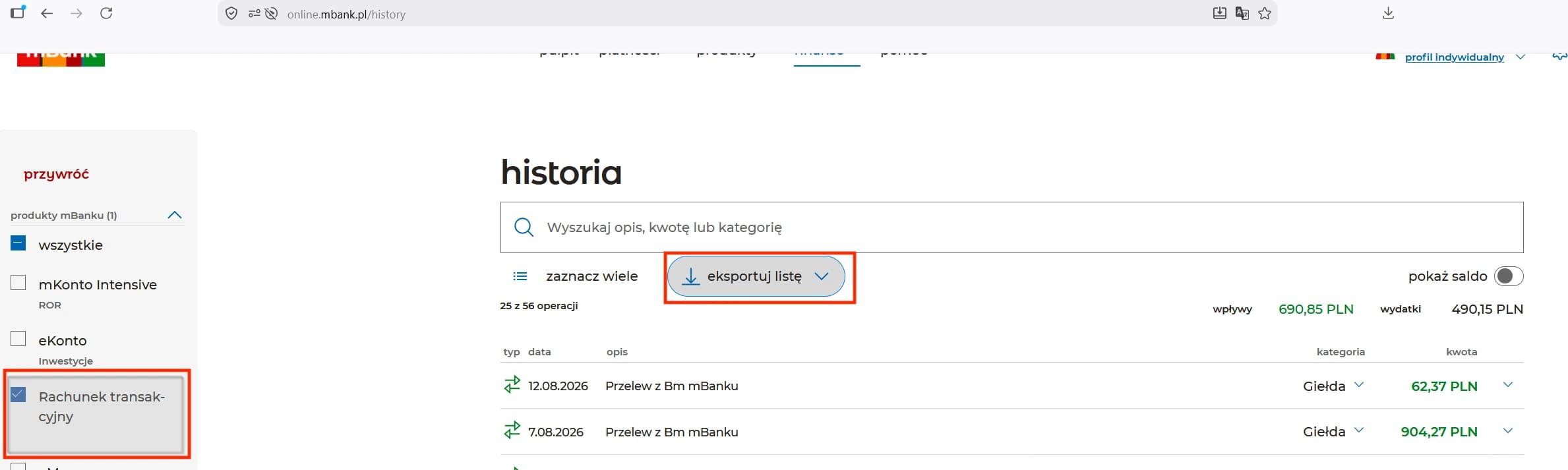
Optional: 'Rachunek transakcyjny' Deposits
If derivatives are enabled, mBank may record deposits for your main brokerage account on an additional Rachunek transakcyjny. In mBank history, select only Rachunek transakcyjny and export the operation list as CSV. Import this file into the right-hand cash dropzone in FundStat, the same one used for Historia finansowa.
Step 7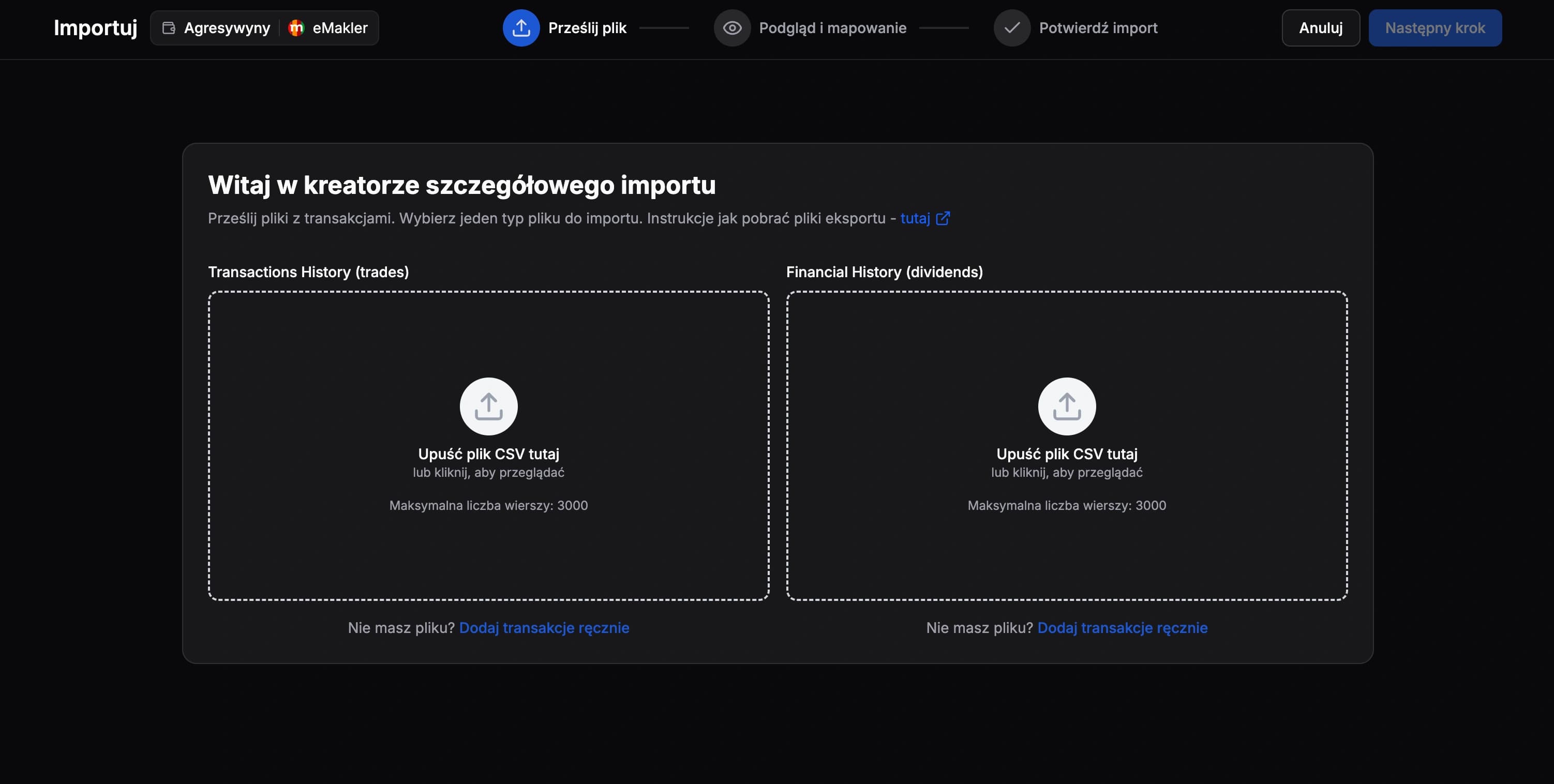
Import Files
Upload the transactions file to the left-hand dropzone. Upload Historia finansowa and, when applicable, the Rachunek transakcyjny operation list to the right-hand cash dropzone. Import one file at a time and finish each import before starting the next one.
Need Help?
Our Discord server is FundStat’s main support channel, including help with individual cases. It’s usually the fastest way to get a reply.
Join FundStat on Discord
You can also email us at contact@fundstat.pl.