
Alior Bank - Import
For Alior Bank you need two separate XLSX files exported from Inwestycje -> Portfel -> Rachunek maklerski -> Historia for the selected account. Use Instrumenty for trade operations and Finanse for cash operations such as transfers and withdrawals.
Step 1
Open Investments And Portfolio
In Alior Bank open the Inwestycje section and then click Portfel.
Step 2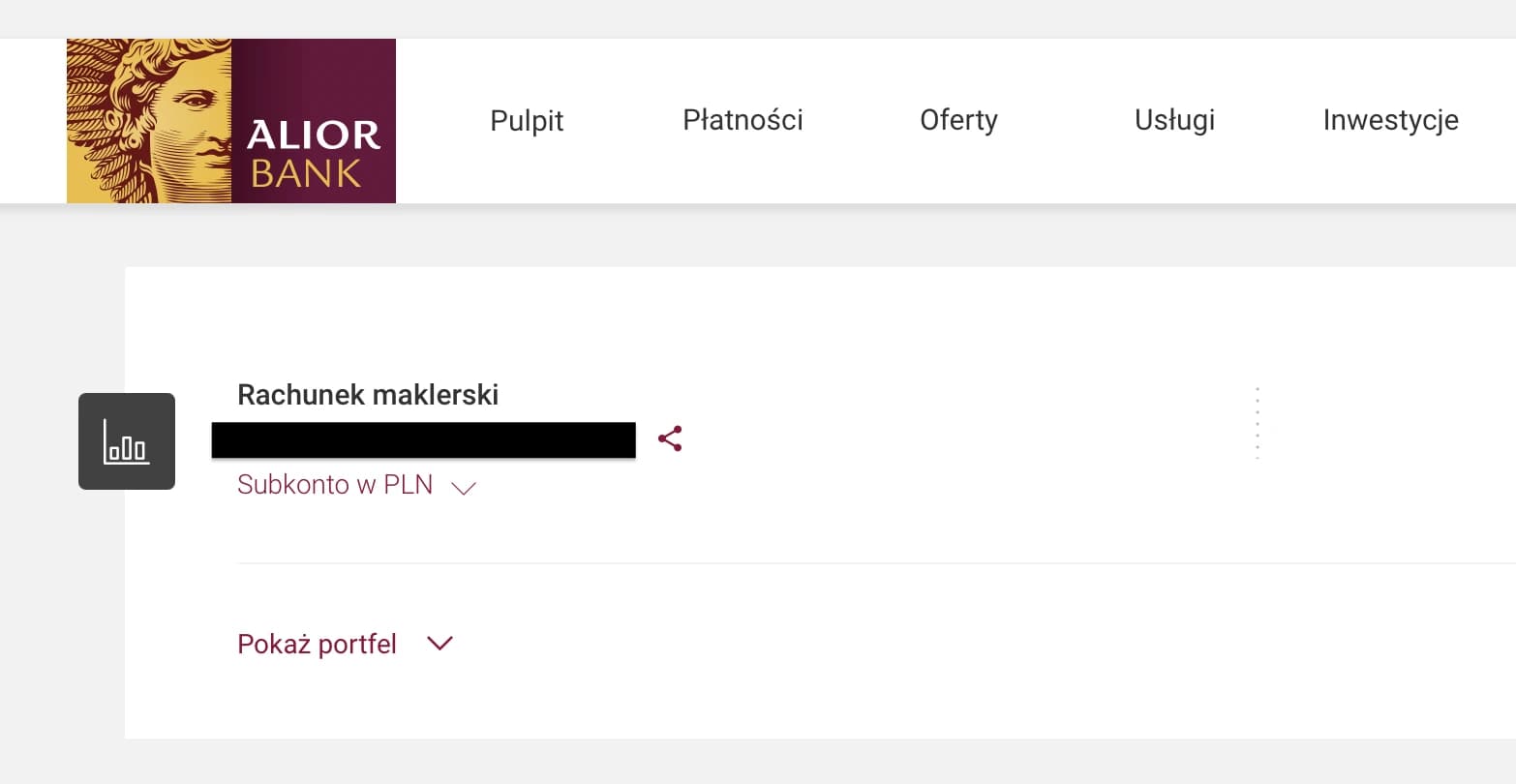
Open Your Brokerage Account
Click the selected Rachunek maklerski to enter the account details view.
Step 3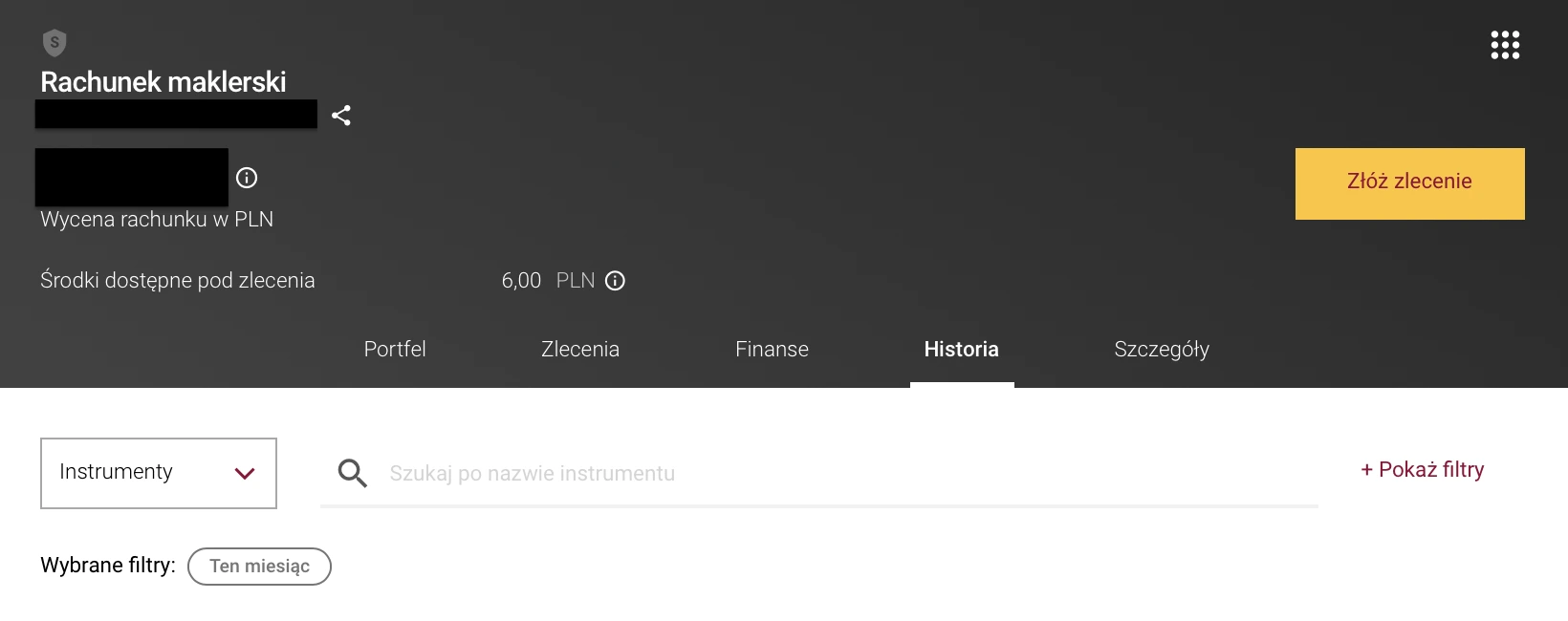
Open Historia And Show Filters
Go to the Historia tab and click Pokaż filtry so you can define the export parameters.
Step 4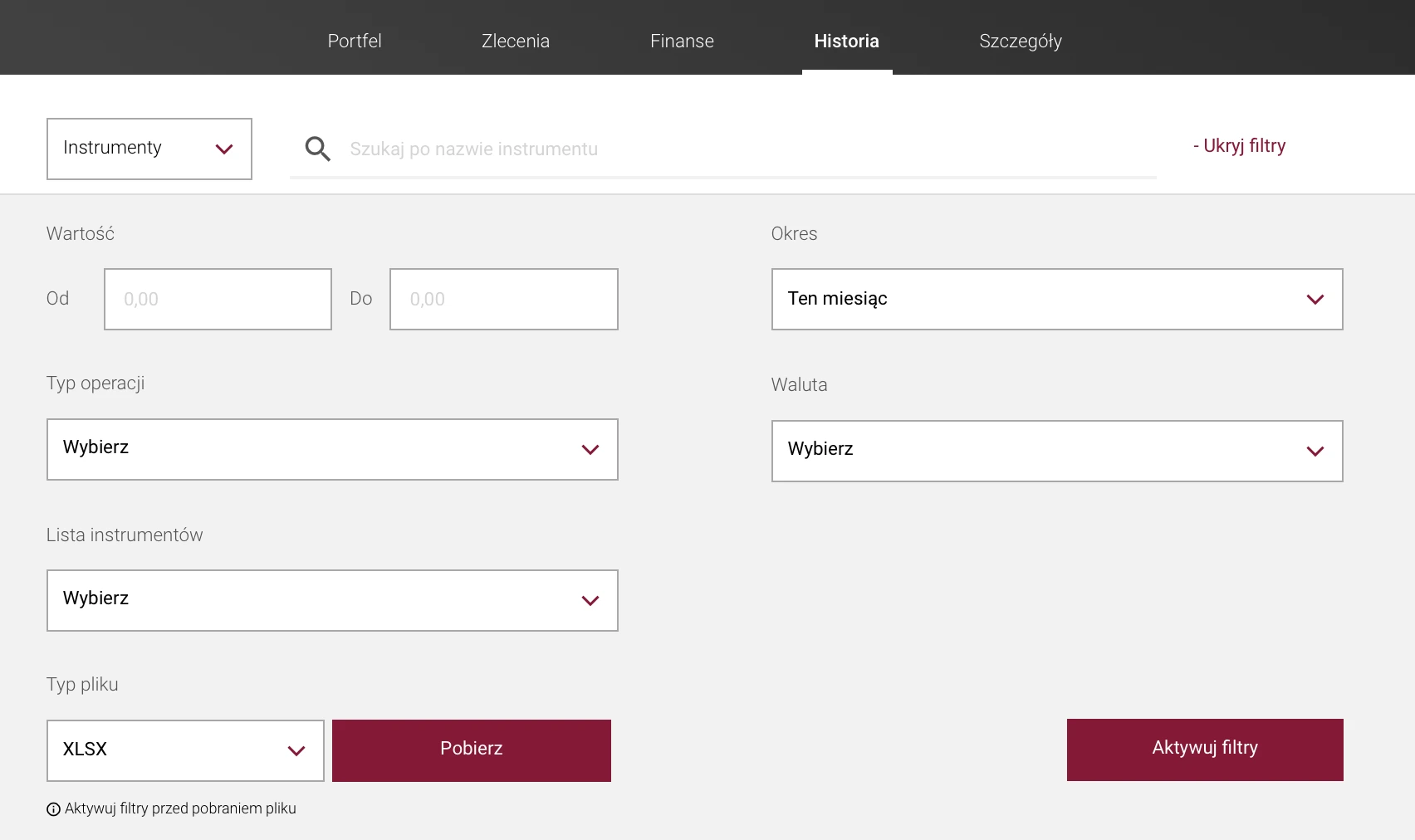
Export Instrumenty
Choose the filters you need, select Aktywuj filtry, and download the file while the Instrumenty tab is selected. This file contains trade operations.
Step 5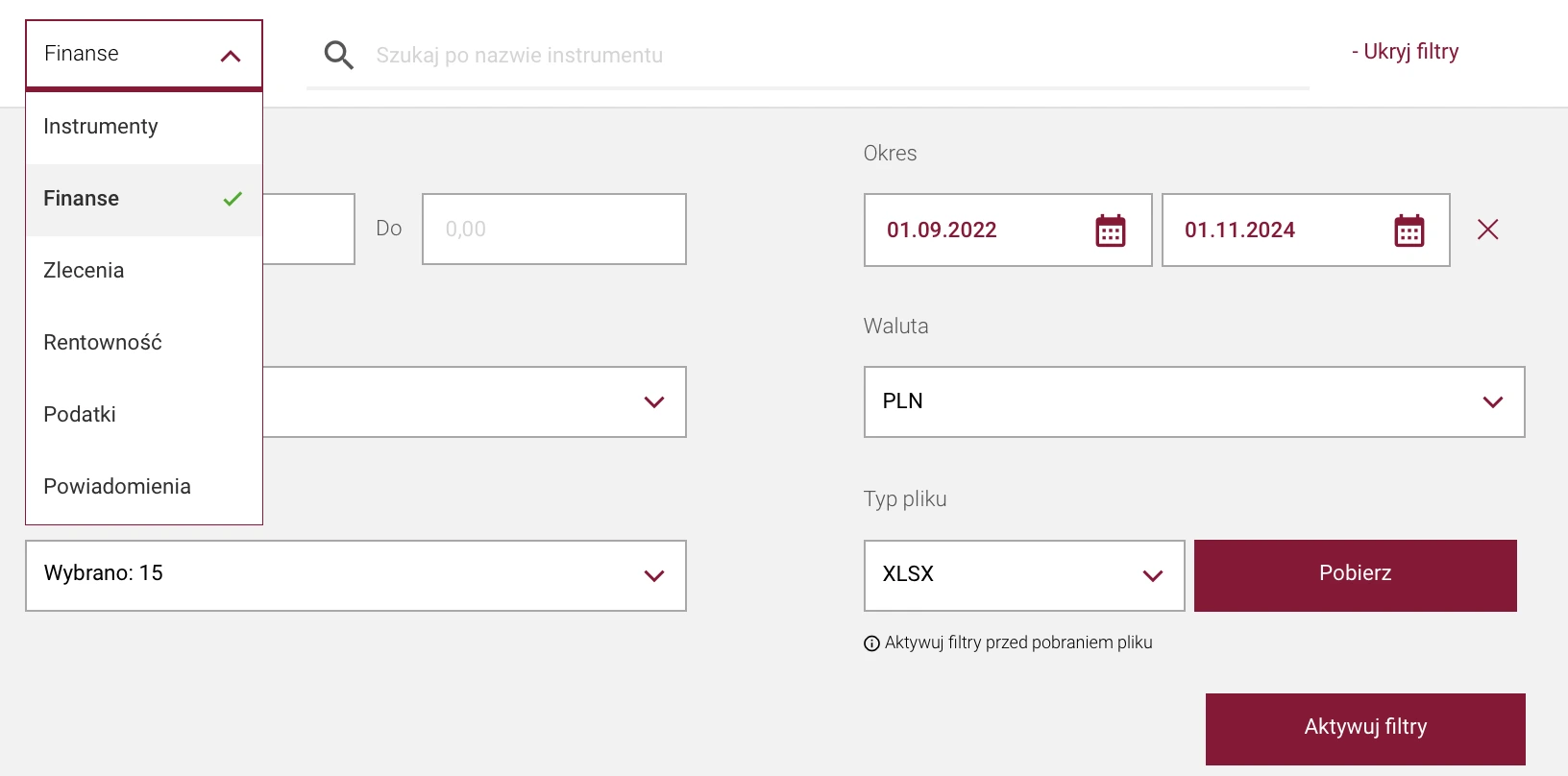
Switch To Finanse And Export Again
Change the tab from Instrumenty to Finanse, then repeat the same filtered export. In this view Alior shows cash operations such as transfers, withdrawals, and similar account movements.
Step 6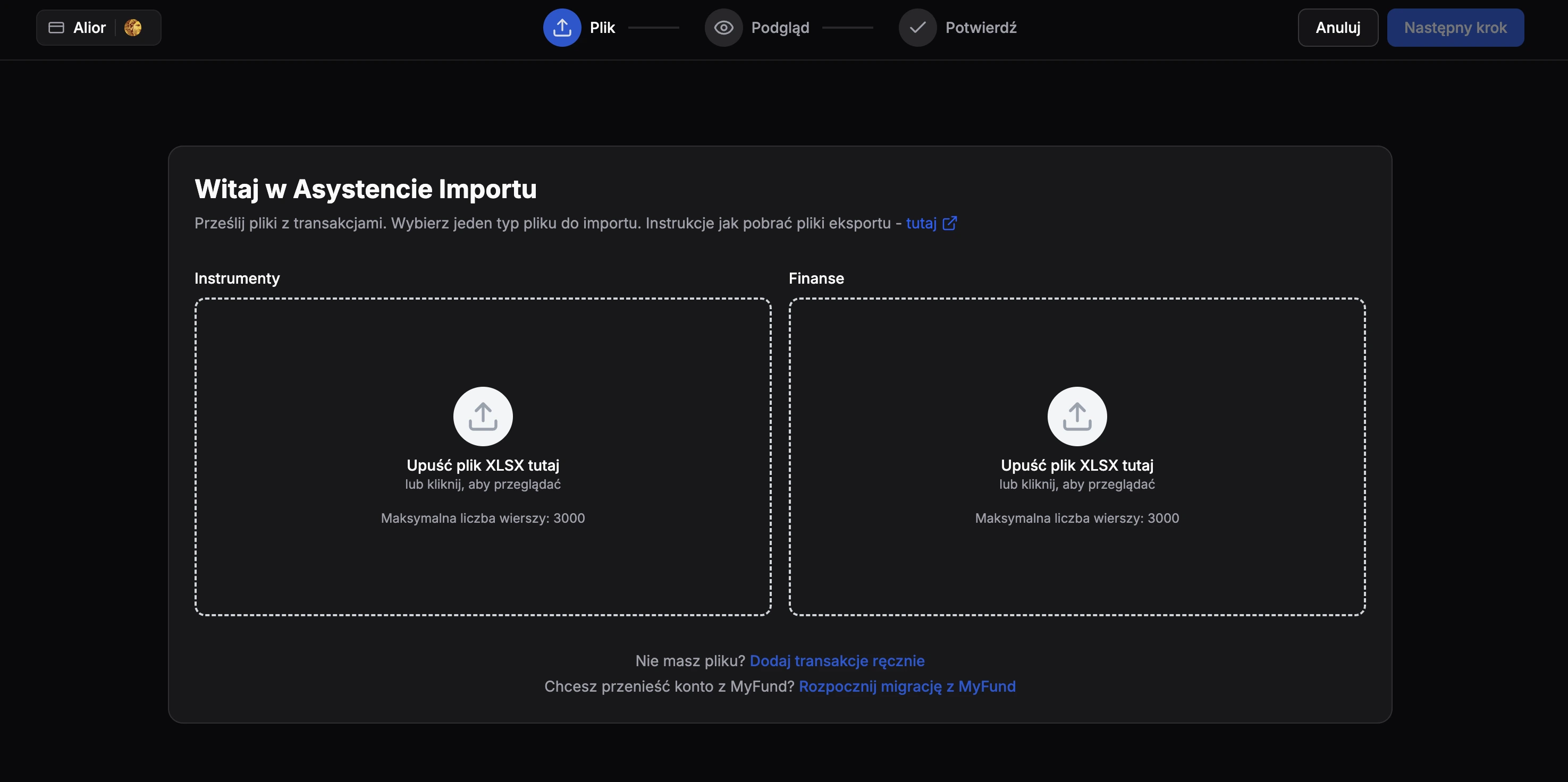
Import Both XLSX Files In FundStat
Upload both unmodified XLSX files in FundStat. Use the Instrumenty file for trade import and the Finanse file for cash import. Complete one import first, then repeat the process for the second file.
Need Help?
Our Discord server is FundStat’s main support channel, including help with individual cases. It’s usually the fastest way to get a reply.
Join FundStat on Discord
You can also email us at contact@fundstat.pl.