
Pekao - Import
For Pekao you need two separate CSV files exported from the history tabs: Rachunek pieniężny for cash movements and Zlecenia giełdowe for buy and sell transactions. Upload each file into its matching FundStat dropzone.
Step 1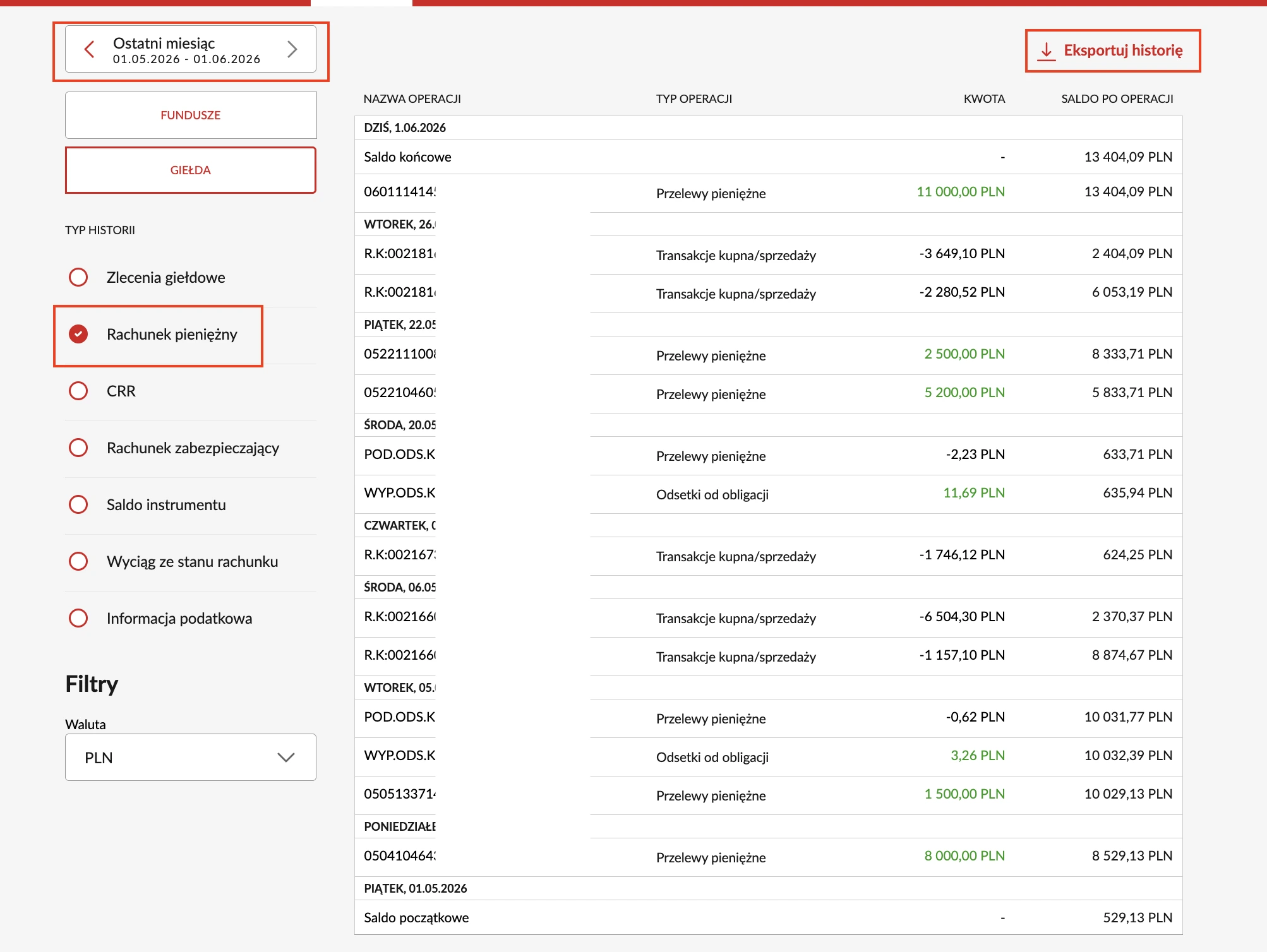
Export Rachunek pieniężny
In Pekao open the Rachunek pieniężny history tab, choose the date range, and download the file as CSV. Use this file for the Cash Operations dropzone in FundStat.
Step 2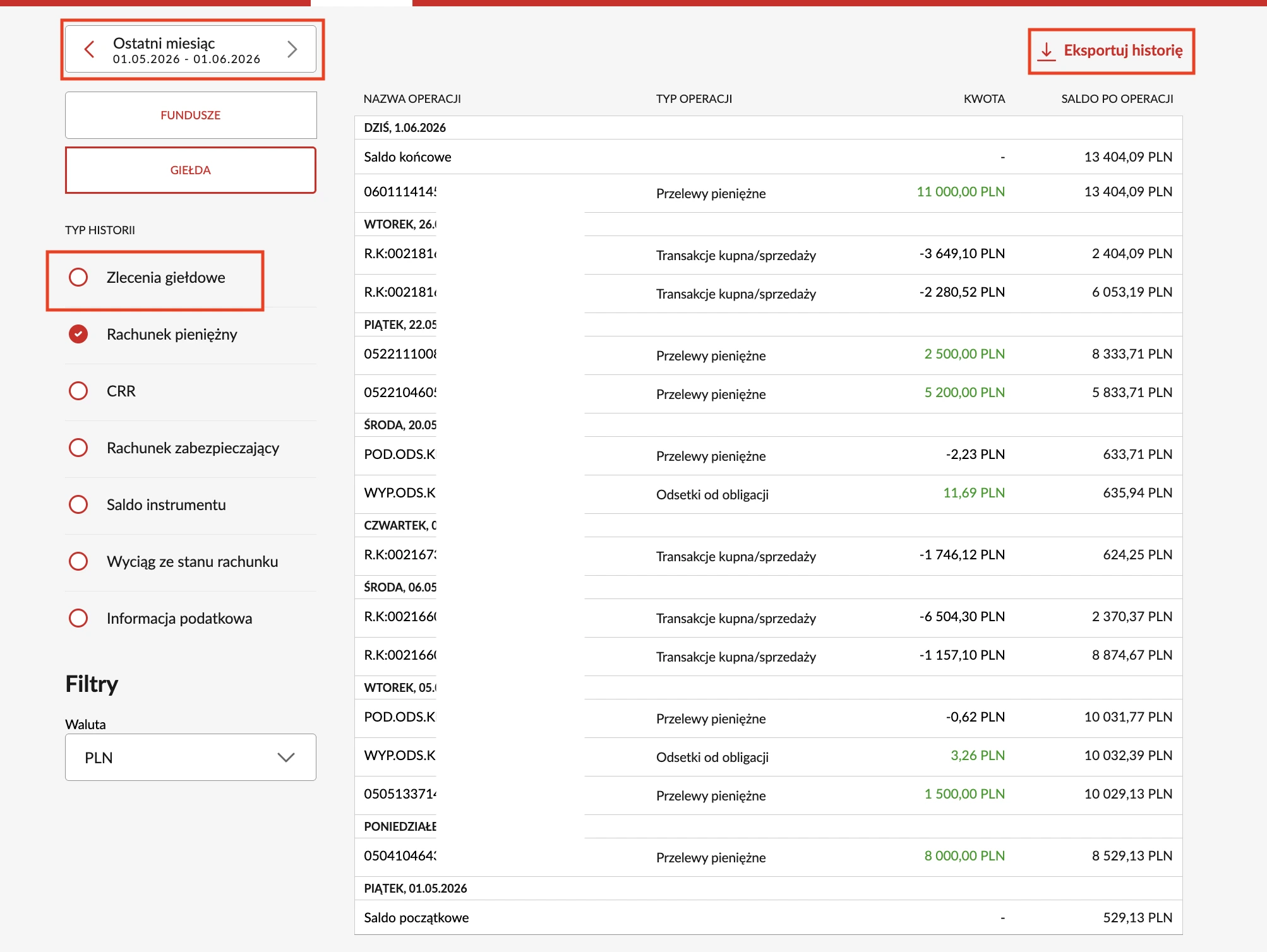
Export Zlecenia giełdowe
Open the Zlecenia giełdowe history tab, choose the same date range, and download the file as CSV. Use this file for the Trade Operations dropzone in FundStat.
Step 3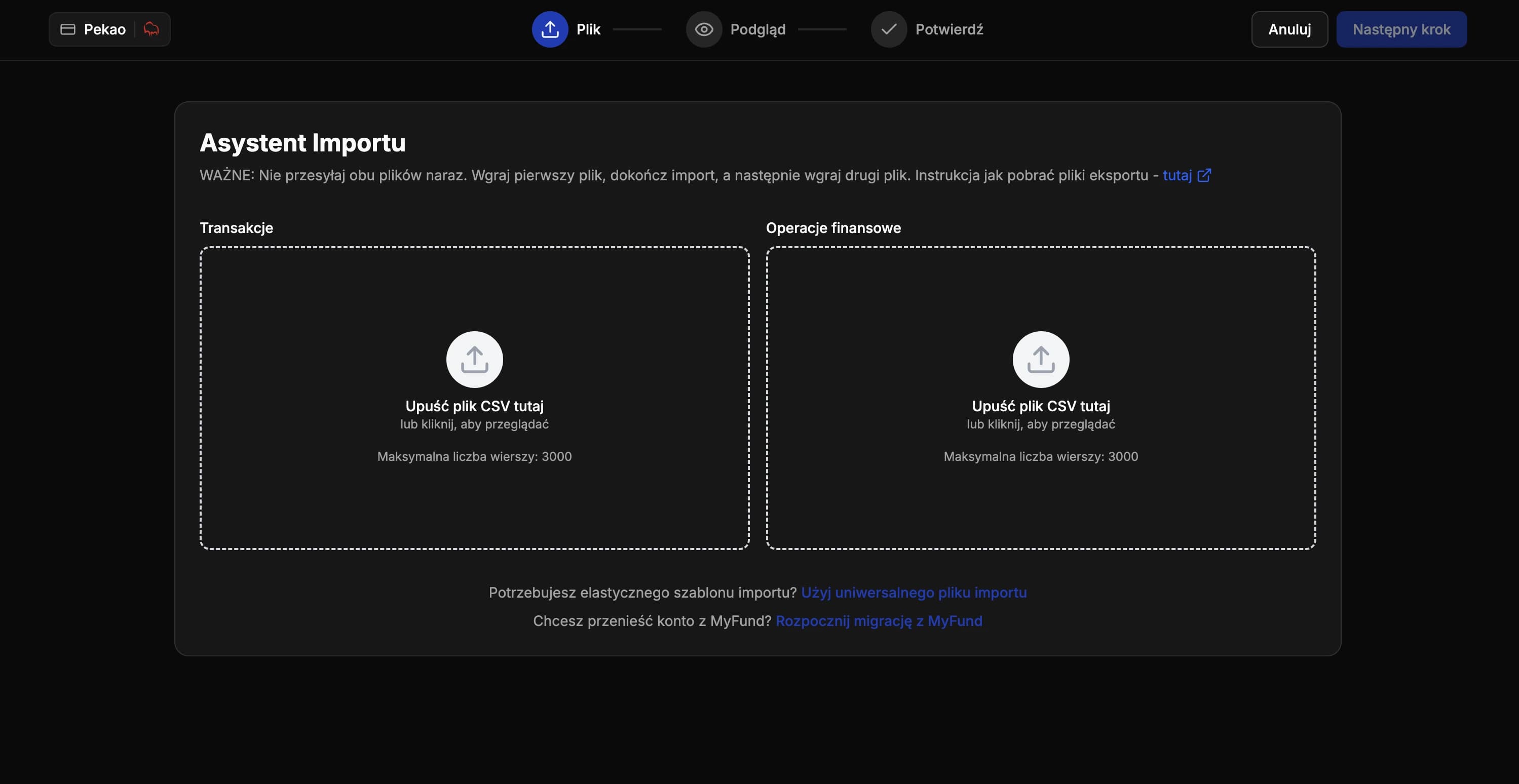
Import Both CSV Files
In FundStat select Pekao and upload the two CSV files into the matching dropzones: Cash Operations for cash movements and Trade Operations for trades.
Need Help?
If you encounter any issues during the import process or have questions about using FundStat, don't hesitate to reach out to our support team.
Contact us:contact@fundstat.pl